Installation
Add the package to an existing Umbraco website (v17+) from NuGet:
dotnet add package Umbraco.Community.PowerToys
No configuration is required. A Power Toys dashboard appears under the Settings section on
first load. It starts out empty; tools are added by other packages (or later versions of this
one) registering a powerToy extension, at which point they show up on the dashboard
automatically with an enable/disable toggle, as below with all of this package’s built-in tools
enabled. Each tool’s settings (if it has any) are opened from its card on the dashboard.
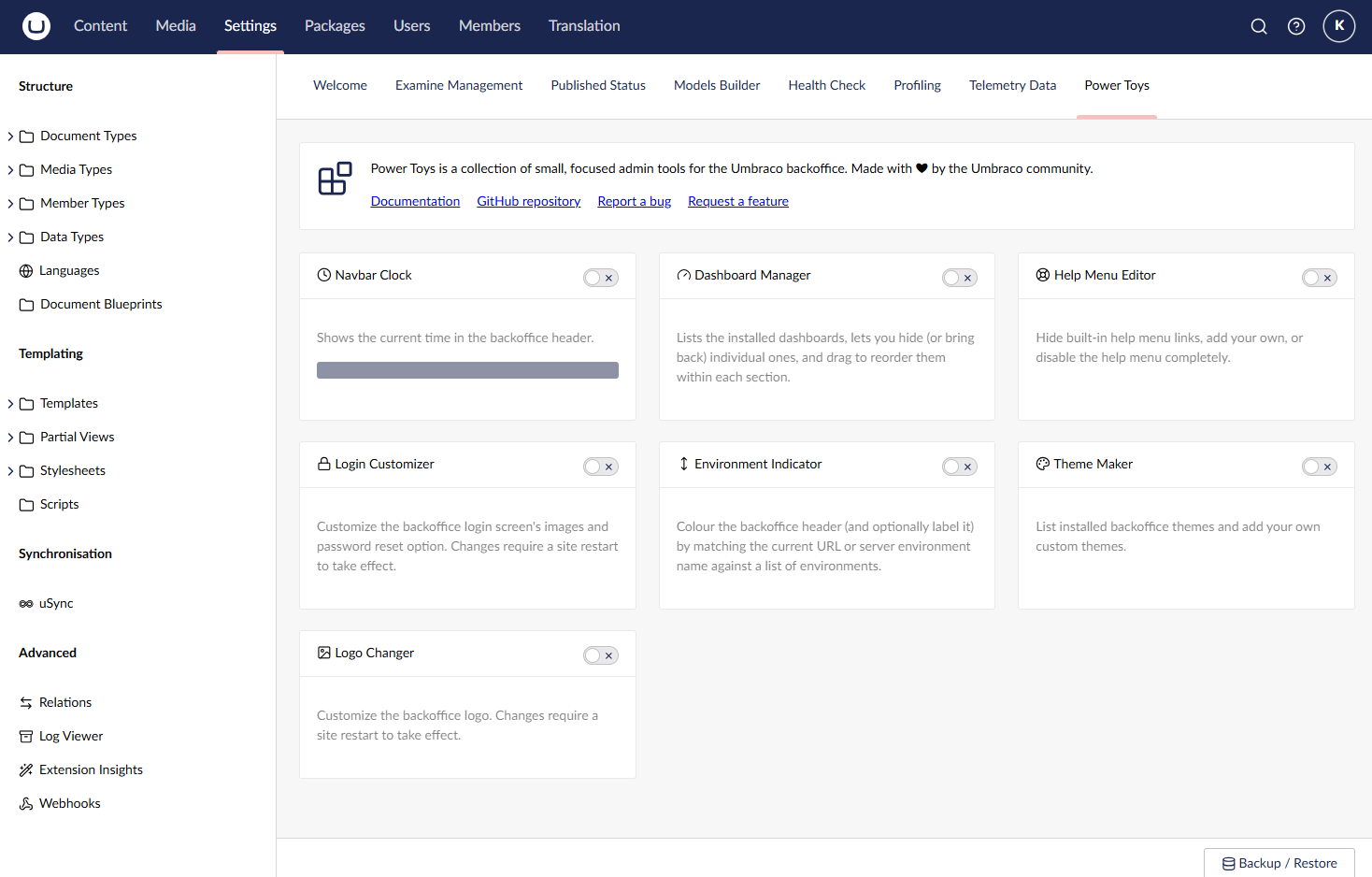
Some power toys - Login Customizer and Logo Changer - note that changes require a site restart to take effect; this is called out on their own pages.