BackChat
Chat with other editors from the backoffice header: everyone at once, about the page you have open, or in a direct or group conversation.
Turn the tool on from its card on the Power Toys dashboard. A chat icon then appears in the header for every user. It opens a panel beside the page, which stays open while you move around the site, with:
- Waiting for you to confirm - messages someone has asked you to confirm you’ve read.
- This page - the chat about the document you have open. Only shown while a saved document is open.
- Your conversations - Everyone, your direct and group conversations, and document chats with something unread.
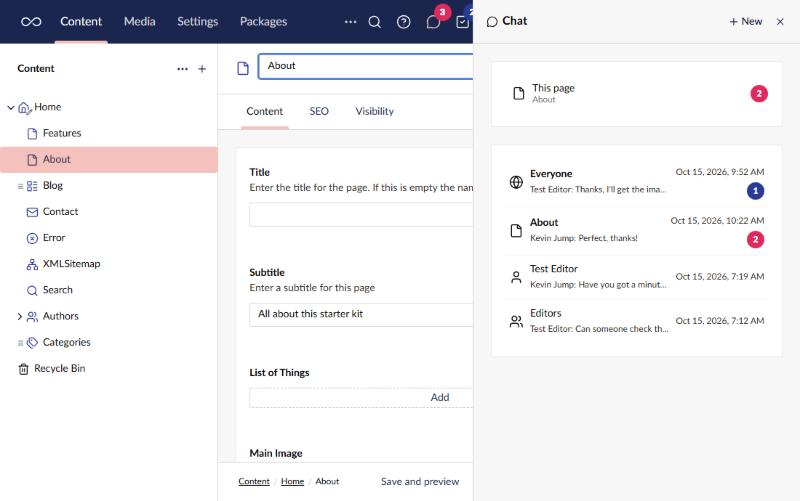
The header icon shows how many messages you haven’t read, in red when one of them mentions you.
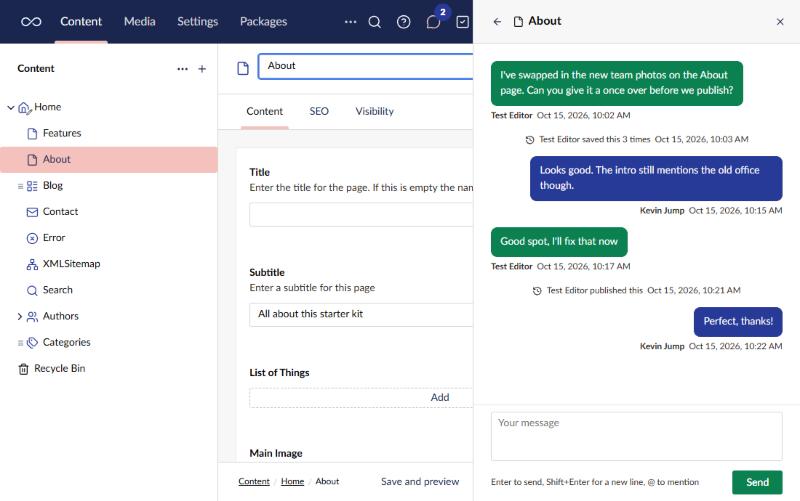
What you can do
- @mentions. Type
@to mention a person or, with permission, a user group. Mentioned people get a notification and a stronger badge. - Direct and group conversations. Start one from New in the panel, with up to four other people or, with permission, a whole user group.
- Messages that need confirming. Ask everyone, a group or the people in a conversation to confirm they’ve read a message. Important ones stay on screen until confirmed. The sender can see who has confirmed and remind the rest.
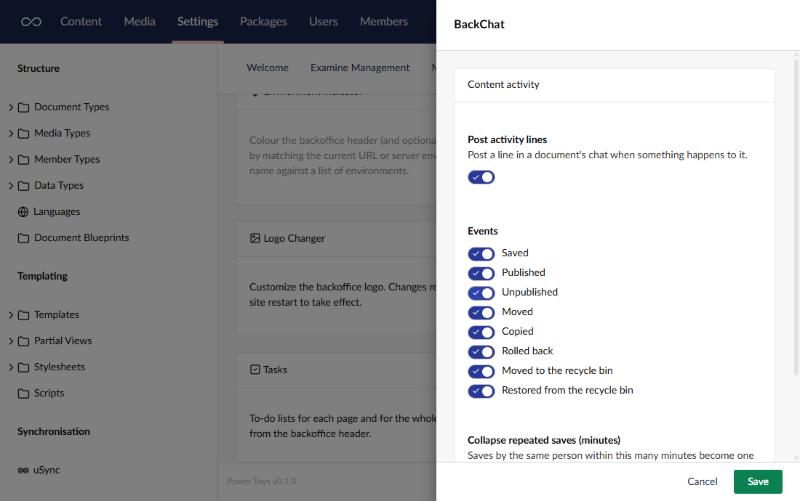
- Content activity. Saves, publishes, moves and the rest post a short line in the document’s chat. Repeated saves by the same person collapse into one line.
A document’s chat is only visible to users who can browse that document.
Settings
The card’s settings choose whether content activity is posted, which events post a line, and how many minutes of repeated saves collapse into one.
Like every power toy, the settings can be fixed in appsettings.json instead:
"PowerToys": {
  "Chat": {
    "Enabled": true,
    "ActivityEnabled": true,
    "ActivityEvents": [ "Saved", "Published", "Unpublished", "Moved", "Copied", "RolledBack", "Trashed", "Restored" ],
    "CollapseMinutes": 30
  }
}
Permissions
Chat adds its own permissions to the user group editor, under the Chat permissions heading. Administrators get them all on install; other groups get none.
- Send important messages (and ask for confirmation)
- Message user groups
- Mention user groups
Plain chat and mentioning a person don’t need a permission.
Notes
- Chat history is stored in the site’s database. Turning the tool off keeps the history; turning it back on brings it back.
- On a load-balanced backoffice, history is shared through the database, but live messages only reach users connected to the same server unless SignalR has a backplane configured.